
To Resize a Video Head to Sequence > Sequence Settings > Frame size. Simply Adjust the Horizontal and Vertical Pixels To your desired rate. YouTube is 1920 x 1080, Tik Tok is 1080 x 1920.
I have a Video here explaining more in depth or feel free to read on!
Step 1 – Head Into Sequence Settings
In your White Bar at the top of Premiere Pro, You Will find A few Menu’s, File, Window ect, Press Sequence.
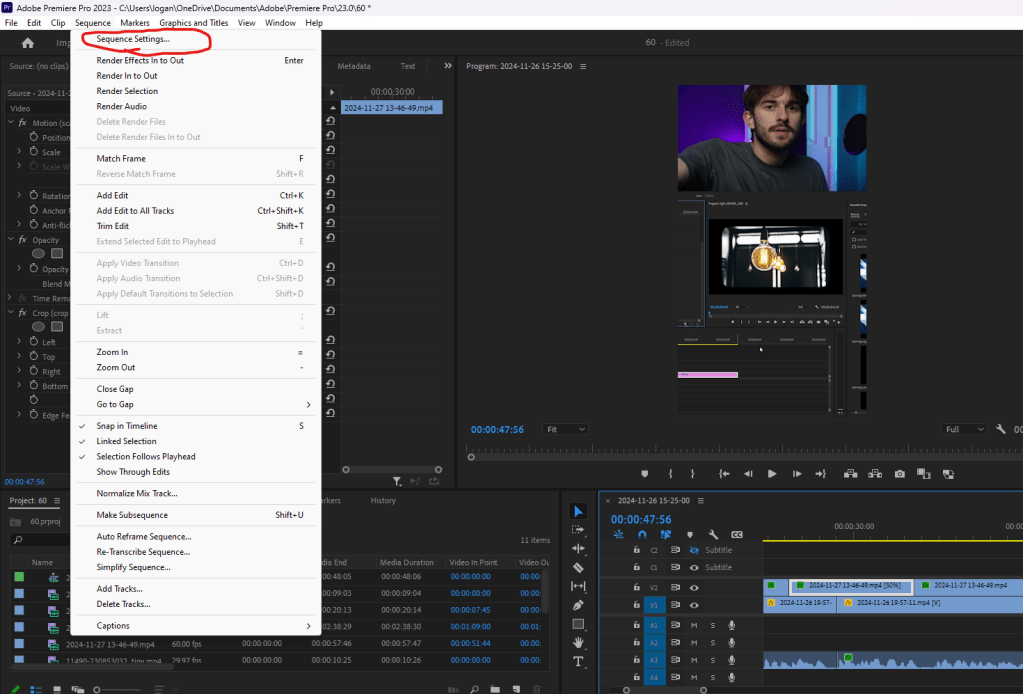
Under Sequence, press the first option, Sequence Settings.
Step 2 – Change Your Frame Size
There is a lot to take in in this pop up, all you need to do is change frame rate, set This To your desired size.
YouTube is 1920 X 1080, Tik Tok is 1080 X 1920 (Horizontal x Vertical)
pay attention to your frame Ratio when changing these settings, any regular video will be 9:16.
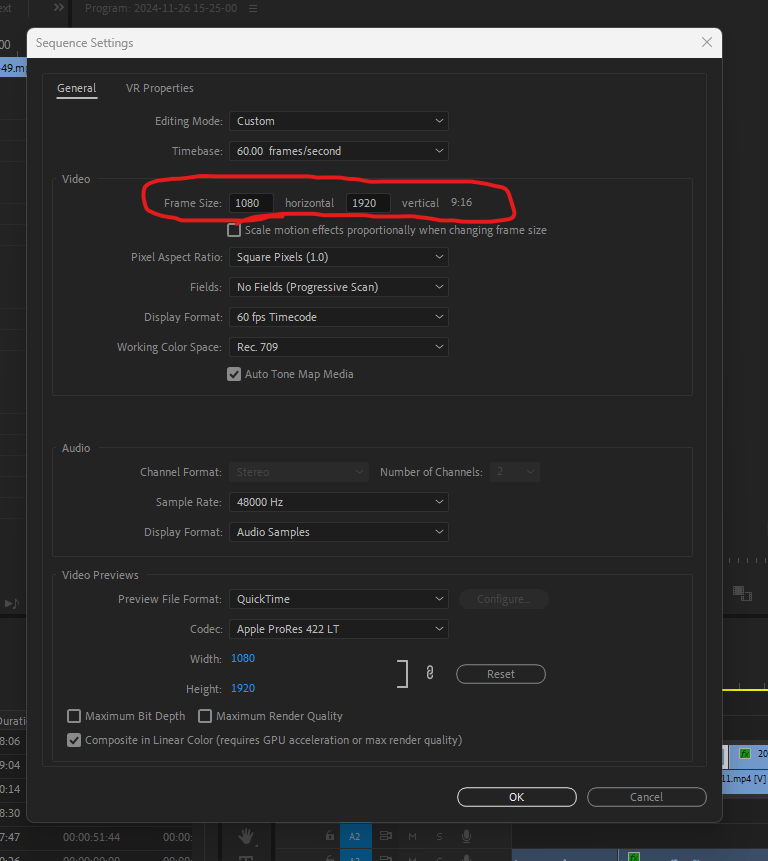
Once The settings are changed, simply press OK to save your settings, and enjoy your new frame rate!
Thank you Very much for taking the time to read my Blog, I hope you have a Great Day!

 Video Wizard
Leave a comment