There are 2 reasons why Premiere Pro is running slow, First is your Device Itself may be too slow to handle modern editing. The second is The project itself, Try rendering finished parts of the project, will lessen demand.
well you have two choices, you can either watch the video above or feel free to read on ….
Slow Premiere Pro Part 1
slow premiere pro sucks, there is no two ways about it, you get in a good rhythm, finally getting the work in and BOOM, slow project. Want to preview your video? well you can’t here’s 4 frames.
Essentially what i am trying to say is that Premiere Pro sucks when it’s slow, But what actually causes it?
There are two main ways the app is slow, so lets get the costly one out of the way first. Your Computer may not be powerful enough to run the Software, Premiere Pro has a minimum of 8 cores to run, 4GB of GPU, a 7th gen CPU and Windows 10 or higher. bare in mind this is only the minimum, so if you don’t have these, well, editing isn’t going to be very fun at all.

The Higher your Pc is from these Specs, the easier Premiere Pro will run, so don’t think you can edit a feature length Hollywood movie on the bare minimum.
If Your PC has Specs lower that what’s required then you may need to look at upgrading your Device.
Slow Premiere Pro Part 2
Now if your Device does have some decent specs, then don’t rush into buying a new one, there is another reason your premiere Pro may be slow, and it’s one that is much cheaper to fix.
Think of the problem as a scale, one side being the device itself and the other being the project, I’ve already covered what to do if your device is slow, but Your project being to heavy is a little bit more complex.
Each edit is different, chances are lighter projects, will be much faster and easier.
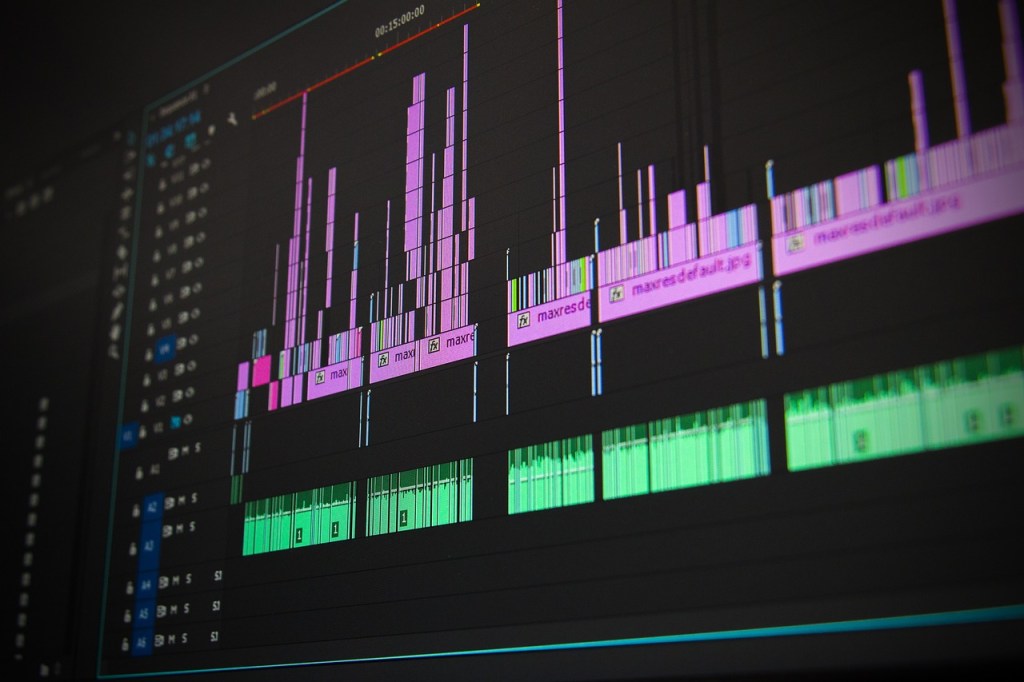
Editing can be so Demanding, And the more you add to your timeline, and the application in general the harder it is to run. I guess one really easy fix would be to get rid of the Bits you don’t need, Old clip you used 3 months ago and never will again? Get It Gone!
The trick is to organise Your workspace so it isn’t filled with Junk Ensure you use what you need, don’t waste processing power on stuff you will never use.
But if you need a Quick Fix…
The Secret to speed up Premiere Pro
You know how earlier I was saying a project can be to demanding? well if you want to have your cake and eat it, you can render parts of your project.
So what you want to do is select parts of your timeline that are already finished.
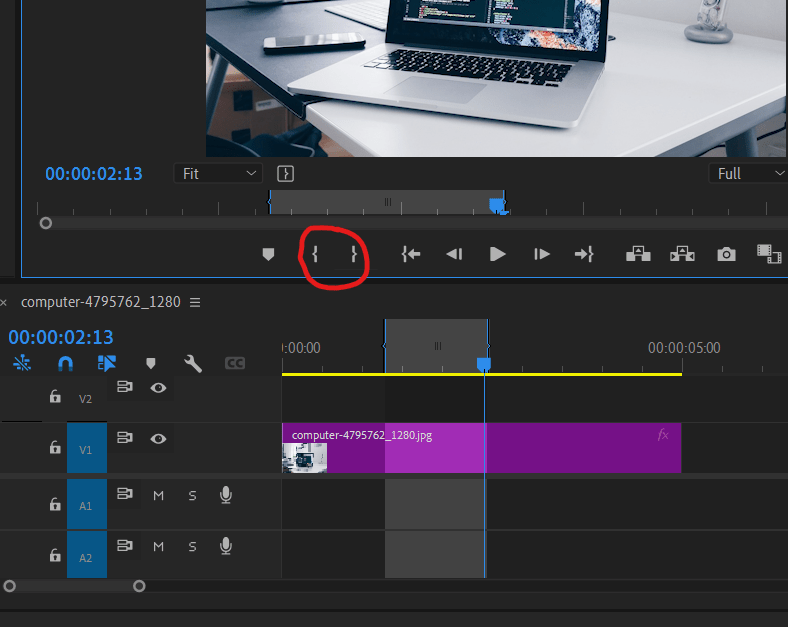
Select these parts with the in and out Tool.
Once You Have selected Your finished part head up to the top bar and render your In & Out.
Make sure you render finished segments, as editing them later becomes more difficult.
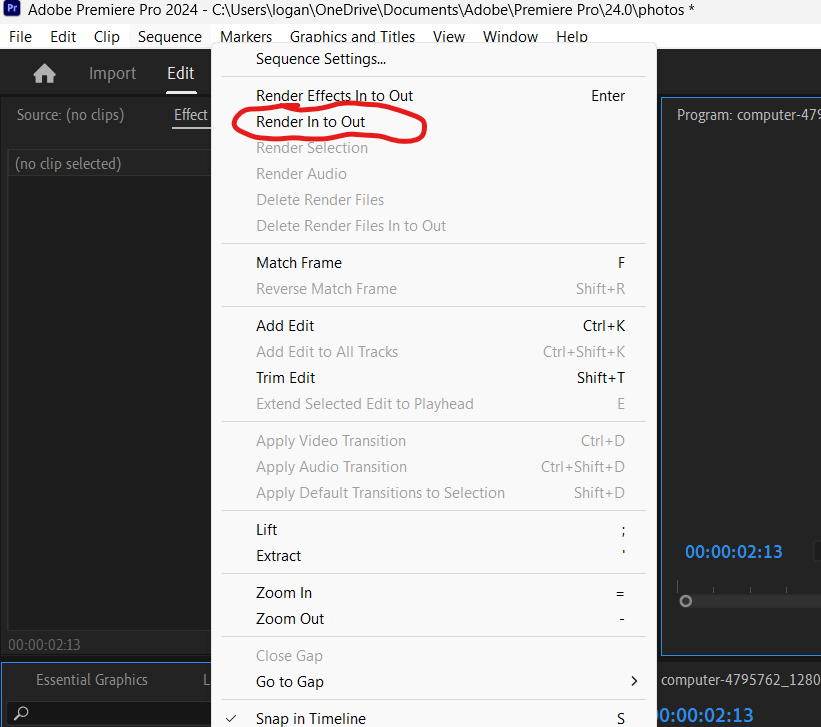
Wait a little while for the clips to load, and you have done it. You are pretty much doing some of the heavy lifting beforehand, easing the application and allowing it to run smoother!
The more Clips you Pre Render the easier it will be to run premiere Pro!
Thankyou so much for taking time to read my blog post, I really appreciate it! I hope you have a great rest of your day!

 Video Wizard
Leave a comment